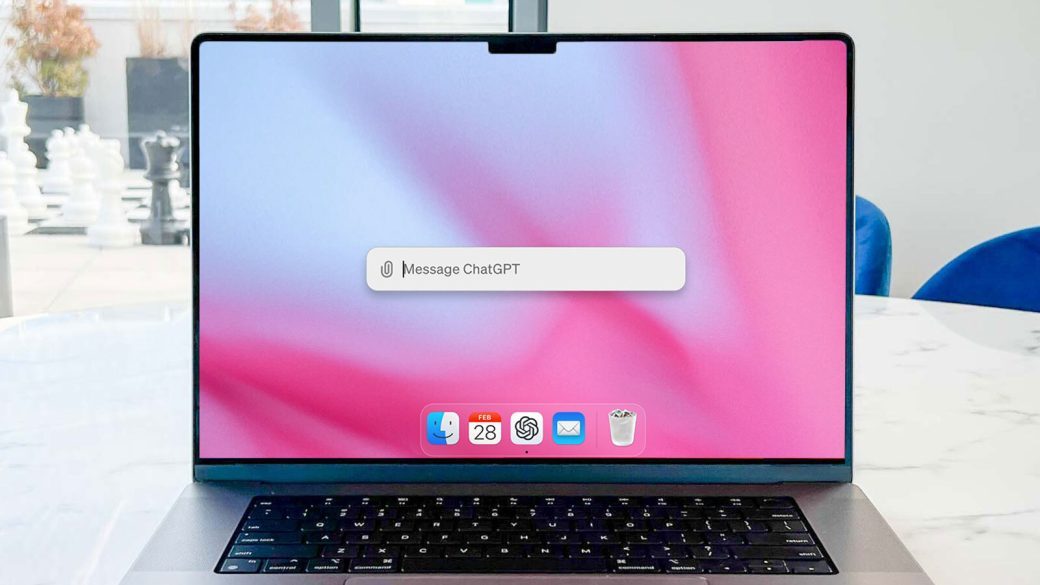
OpenAI has rolled out an update to the ChatGPT desktop application, introducing synced chat history and a unified Chat/Work mode switching experience. The enhancements are designed to make it easier for users to move between personal and professional conversations while keeping their chat history synchronized across devices.
The update reflects OpenAI’s continued focus on improving productivity and collaboration as ChatGPT evolves into a comprehensive AI workspace for individuals and enterprises. By streamlining account switching and ensuring conversations remain accessible across platforms, the company aims to provide a more seamless user experience for desktop users.
ChatGPT Desktop App Gets Productivity-Focused Upgrade
The latest release introduces features that simplify how users access conversations and manage different work contexts.
| Key Highlights | Details |
|---|---|
| Platform | ChatGPT Desktop App |
| New features | Synced chat history, unified Chat/Work mode switching |
| Objective | Improve cross-device continuity and productivity |
| Target users | Individual users and enterprise customers |
| Benefit | Easier access to conversations across personal and work accounts |
The update further integrates ChatGPT into everyday workflows by reducing friction when switching between different usage scenarios.
What’s New in the Update?
The desktop app now includes several usability improvements.
Key additions include:
- Synced chat history across supported devices.
- Unified switching between personal Chat and Work modes.
- Faster access to previous conversations.
- Improved continuity across desktop sessions.
- Simplified account management.
- Enhanced workflow for enterprise users.
These improvements reduce the need to manually manage separate conversations when moving between personal and workplace tasks.
Synced Chat History Explained
With synchronized chat history, users can continue conversations seamlessly across supported devices.
Benefits include:
- Access previous chats from multiple devices.
- Resume conversations without losing context.
- Improved consistency across desktop and mobile experiences.
- Easier organization of AI-assisted work.
- Reduced duplication of prompts and responses.
The feature supports a more connected AI experience for users who regularly switch between devices throughout the day.
Unified Chat and Work Mode Switching
| Feature | Benefit |
|---|---|
| Unified mode switching | Quickly move between personal and work environments |
| Shared interface | Consistent user experience |
| Account management | Reduced switching complexity |
| Workspace separation | Better organization of professional and personal conversations |
| Productivity | Faster access to relevant chats |
The streamlined interface is particularly useful for enterprise users who rely on ChatGPT throughout their workday while maintaining separate personal conversations.
Why the Update Matters
The enhancements align with broader trends in enterprise AI adoption.
Key objectives include:
- Improving user productivity.
- Supporting hybrid work environments.
- Enhancing enterprise collaboration.
- Creating a more unified AI workspace.
- Reducing workflow interruptions.
- Strengthening desktop-first AI experiences.
As AI assistants become embedded in daily workflows, seamless synchronization and account management are increasingly important.
Challenges Ahead
While the update improves usability, several challenges remain.
These include:
- Maintaining strong privacy protections between personal and work accounts.
- Ensuring secure synchronization across devices.
- Managing enterprise compliance requirements.
- Preventing accidental sharing between workspaces.
- Scaling synchronization as usage grows.
- Continuing to refine desktop-specific features.
Balancing convenience with security will remain a key priority for AI productivity platforms.
Outlook
The latest ChatGPT desktop app update reflects OpenAI’s ongoing effort to transform ChatGPT from a conversational AI assistant into a comprehensive productivity platform. Features such as synchronized chat history and unified Chat/Work mode switching make it easier for users to maintain continuity across devices while separating personal and professional workflows.
As enterprise adoption of generative AI continues to accelerate, OpenAI is expected to introduce additional collaboration, workspace management, and productivity features that further integrate ChatGPT into everyday business operations. These improvements could strengthen the desktop application as a central hub for AI-assisted work.
What It Means for the AI Productivity Industry
The update highlights a growing trend among AI platforms toward creating unified work environments rather than standalone chat interfaces. As organizations increasingly deploy AI assistants across teams, features like synchronized history, workspace separation, and seamless account switching are becoming essential components of enterprise AI software.
For users, the enhancements provide a smoother experience when transitioning between personal and professional tasks. For the broader AI industry, they underscore the increasing competition to build productivity-focused ecosystems that combine conversational AI with collaboration, knowledge management, and cross-device continuity.
Get the day’s top stories in your inbox
One concise email. No spam, unsubscribe anytime.