

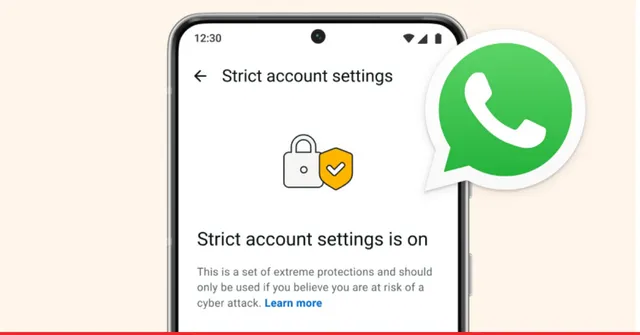
In a significant move to counter high-level digital threats, WhatsApp officially launched its “Strict Account Settings” feature on January 27, 2026.
Marketed as a “lockdown-style” security mode, this feature is specifically designed for individuals at high risk of targeted cyberattacks—such as journalists, activists, and public figures—though it is being made available to all users globally.
1. How It Works: The “Fortress” Mode
When enabled, the feature automatically toggles multiple privacy and security controls to their most restrictive states. Unlike standard settings, this mode prioritizes security over convenience, which WhatsApp warns will “reduce the quality of the messaging experience.”
| Feature | Strict Mode Behavior |
| Unknown Media | Automatically blocks all attachments (photos, videos, docs) from non-contacts. |
| Calls & Groups | Silences calls from unknown numbers and restricts group invites to “Contacts Only.” |
| Link Previews | Completely disabled to prevent potential tracking or IP exposure via URL thumbnails. |
| Profile Visibility | Last seen, profile photo, and “About” info are locked to “Contacts Only.” |
| Security Alerts | Two-step verification and security code change notifications are forced ON. |
2. Behind the Scenes: The “Rust” Revolution
Coinciding with this release, Meta revealed that it has rewritten 160,000 lines of C++ code into Rust—a memory-safe programming language—specifically to handle media formatting on WhatsApp.
- Anti-Spyware: Rust is designed to eliminate memory-related vulnerabilities that are frequently exploited by sophisticated spyware (like Pegasus) to infect devices through malicious MP4 or image files.
- Performance: The shift reportedly improved runtime memory usage and processing speed while creating a more robust defense against “Zero-Day” exploits.
3. Why Now? Geopolitical Context
The rollout comes at a time of increased scrutiny for Meta:
- Privacy Lawsuit: The feature was announced just days after a high-profile lawsuit in January 2026 accused Meta of maintaining “backdoor access” to chats—a claim WhatsApp Head Will Cathcart dismissed as “frivolous and absurd.”
- Industry Trend: This move aligns WhatsApp with Apple’s Lockdown Mode and Google’s Advanced Protection Program, signaling that Big Tech is shifting toward opt-in “extreme protection” for vulnerable users.
4. How to Enable It
The feature is rolling out gradually to the latest versions of WhatsApp on iOS and Android.
- Open WhatsApp and go to Settings.
- Tap on Privacy.
- Scroll down to the Advanced category.
- Toggle on Strict Account Settings (and confirm the prompt regarding reduced app functionality).
Note: This setting can only be toggled from your primary mobile device, not from linked devices like WhatsApp Web or Desktop.
Conclusion: A Trade-off for Safety
Strict Account Settings represents the most aggressive security layer ever added to a mainstream messaging app. While most users won’t need to block all unknown media, for those whose careers put them in the crosshairs of state-sponsored hackers, this 2026 update turns WhatsApp from a social tool into a secure communication vault.