If you’ve opened your Netflix Android app recently and noticed the familiar “Cast” icon has vanished, you aren’t alone. Netflix has updated its official support documentation to state: “Netflix no longer supports casting shows from a mobile device to most TVs and TV-streaming devices.”
What Exactly Changed?
The removal specifically targets Google Cast Connect, a protocol used by modern devices that have their own native Netflix app.
- The New Rule: If your device has a remote and its own Netflix app (like a Chromecast with Google TV, Google TV Streamer, or Android TV), casting is now disabled.
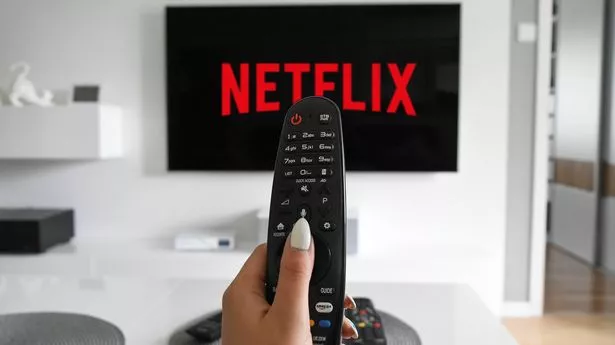
- The Mandate: Netflix now requires you to use the physical remote to navigate its TV interface rather than browsing and selecting titles on your phone.
Which Devices Still Support Casting?
Netflix has preserved a small “legacy window” for devices that do not have their own user interface or remote:
- Older Chromecasts: 1st, 2nd, and 3rd Gen “hockey puck” models (without remotes).
- Google Nest Hubs: Smart displays remain compatible.
- Legacy TVs: Select older Vizio and Compal cast-enabled TVs.
- Premium Only: On these legacy devices, casting is only available for ad-free Standard and Premium plans. Users on the Standard with Ads tier cannot cast to any device.
Why Did Netflix Remove It?
While Netflix has not issued a formal press release, industry analysts point to three primary drivers:
- Declining Usage: Reports suggest only 10% of Android users still utilized the cast feature, as smart TV processors have become fast enough to make native apps the preferred choice for the majority.
- Password Sharing Crackdown: Casting made it easier for users to bypass “Household” verification. By forcing logins on the TV app, Netflix can more accurately enforce its primary-location rules.
- Data & Advertising: Native TV apps provide Netflix with better data on viewing habits and allow for more controlled delivery of advertisements on its budget tiers.
| Feature | Old Experience | New Experience (2026) |
| Search | Faster via Phone Keyboard | Slower via TV Remote |
| Navigation | Mobile UI | Native TV UI |
| Compatibility | All Google Cast Devices | Legacy/Remote-less Devices Only |
| Ad-Supported Plan | Partial Support | No Support |
Conclusion: A Step Toward Simplification?
For many, this is a “frustrating downgrade.” Mobile search is inherently faster than on-screen keyboards, and travelers often rely on casting to avoid logging into shared hotel TVs. However, Netflix appears committed to a future where the smartphone is a companion (for games or interactive features) rather than a controller for the main screen.